
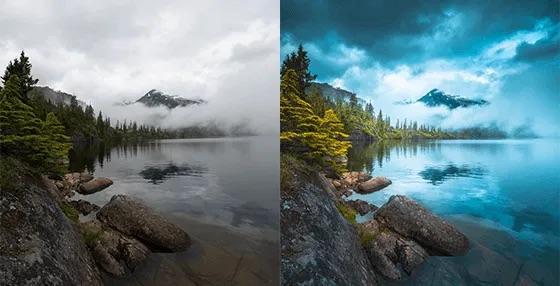
01.Cloudy Conditions
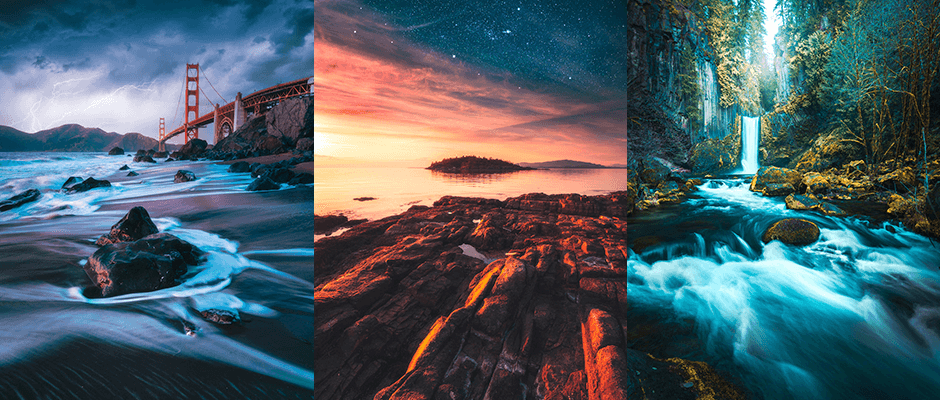
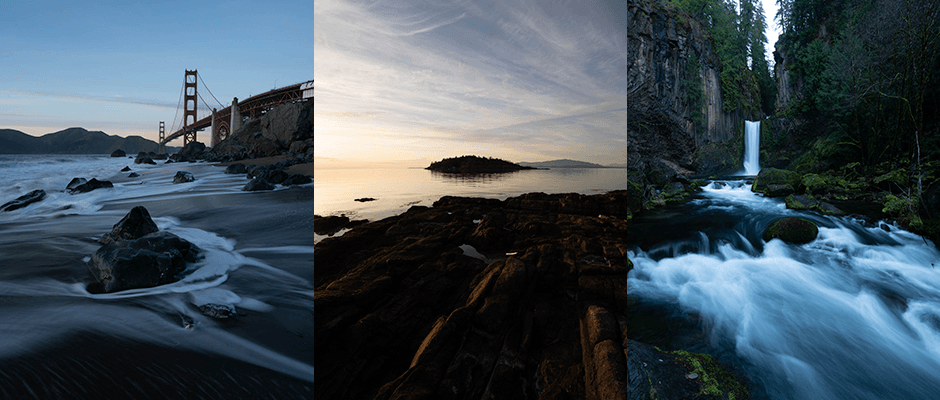
Zach lowers the sky's exposure with a Linear Gradient. This gives the image a dark and stormy mood.
An Adjustment Brush then draws the eye toward the center.
Attention: Landscape Photographers, Travel Enthusiasts, and Digital Artists...
(Without Cliché Editing or Sloppy Compositions)
"Your presentation style and easy step by step guide have enabled me to start to use the power of lightroom - especially on those old photos with bland skies and detail hidden in the shadows. I wish I had found your course earlier!"
Phil Mccalvey ★★★★★
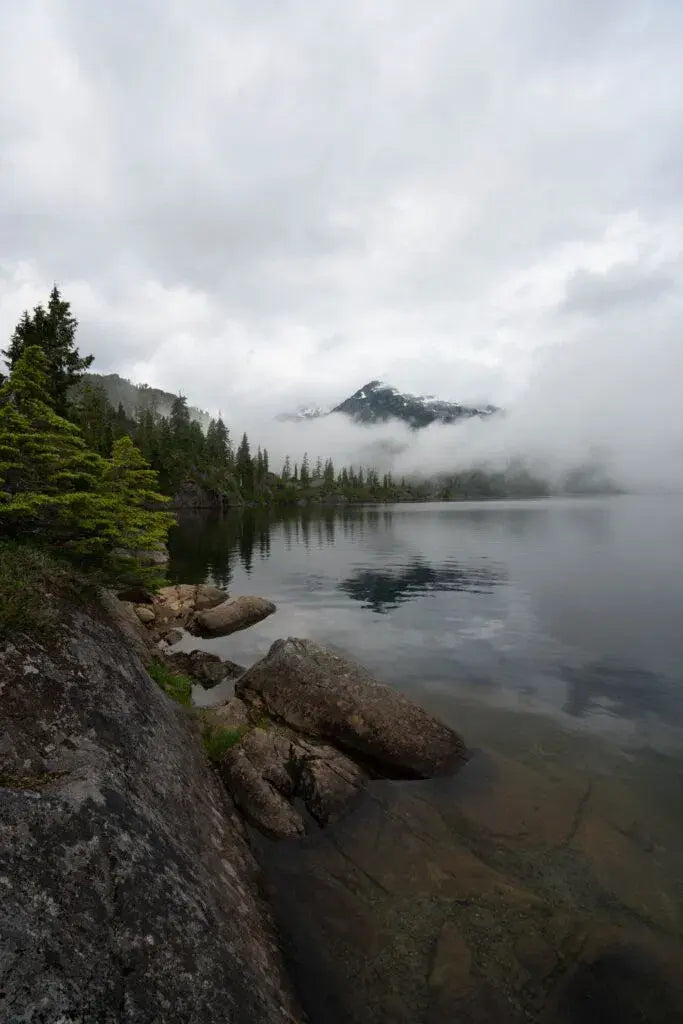
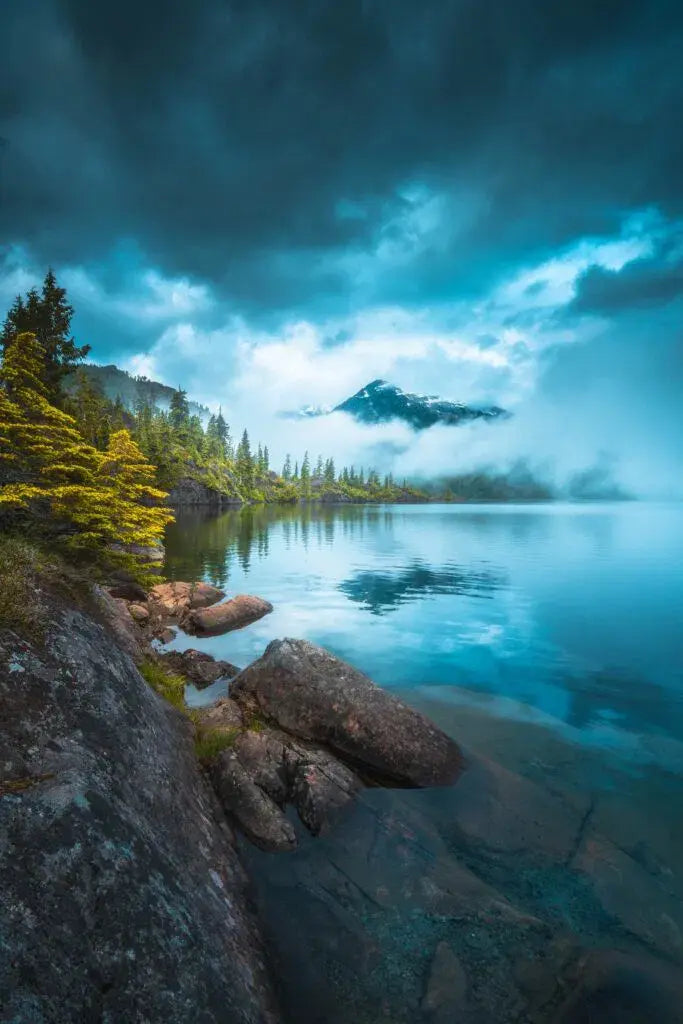
My friend Zach Doehler, a Canadian landscape photographer, made this change.
I love his style because he can enhance a bland scene and turn it into stunning landscape art.
He does it with Lightroom sliders, bold colors, and a few final touches in Photoshop.
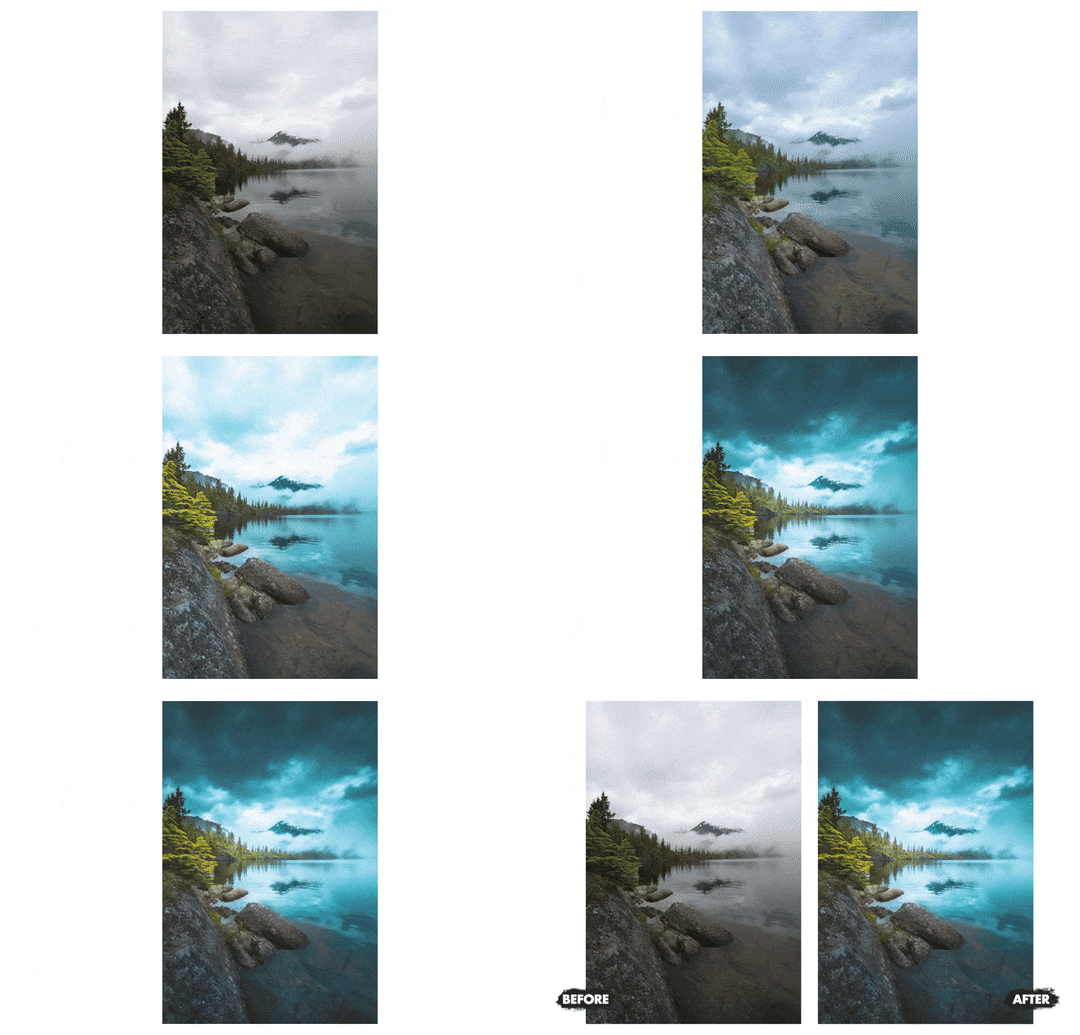
When I asked Zach how it was done, he was more than happy to share his "secret sauce"…
Zach shoots vivid sunsets by quiet lakes, moody images of foggy forests, and star-filled skies above the mountains.
His clear editing steps bring out the hidden beauty in landscape RAW files, even when the first image looks flat.
I tried his process on my own images and found details I hadn't seen before.
You can see more of Zach's landscape work on Instagram at @calibreus.
His bold color and light are easy to spot and give his work a clear style.
So it only made sense to join forces and create this…

Turn flat landscape photos into bold images. Make them hold attention.
This 5.5-hour video course shows you how to transform your landscape photos into mesmerizing works of art.
Zach starts with simple framing choices. Then he uses brushes, gradients, and other editing tools.
The best part is that Zach's process works on old photos. You can use it on them too.
The video course and four bonuses give you a clear path. This path runs from RAW file to final image.
With “Epic Landscape Editing”, You'll Soon Discover:
Zach edits nine landscape images. Each project is split into four short videos.
Each project covers the idea and the Lightroom edit. Then Zach shows the color work and final Photoshop touches.
You see the full workflow. It comes from a skilled landscape photographer and digital artist.
Each project includes its RAW file. You can work on the same shot as Zach.
Have you ever come home from a landscape shoot disappointed?
Perhaps the sunset looked flat, or the weather changed just before you arrived. As a landscape photographer, I know how frustrating that feels.
Zach's approach can still turn those disappointing photos around and bring them closer to the scene you hoped to capture.
In the final project, he covers two ways to replace the sky. He uses Photoshop for both.
Picture This.
You've learned a set of Lightroom techniques for shaping a landscape image.
Because you understand what each choice does, you can edit with purpose instead of guessing.
You open Lightroom, excited to revisit a landscape image that once fell short.
Within minutes, details you missed begin to appear in the RAW file.
Five minutes later you've transformed your landscape photo into a work of art.
The result is vivid, clear, and full of the detail you hoped to find.
Add the final touches, then share a photo you're proud to show.
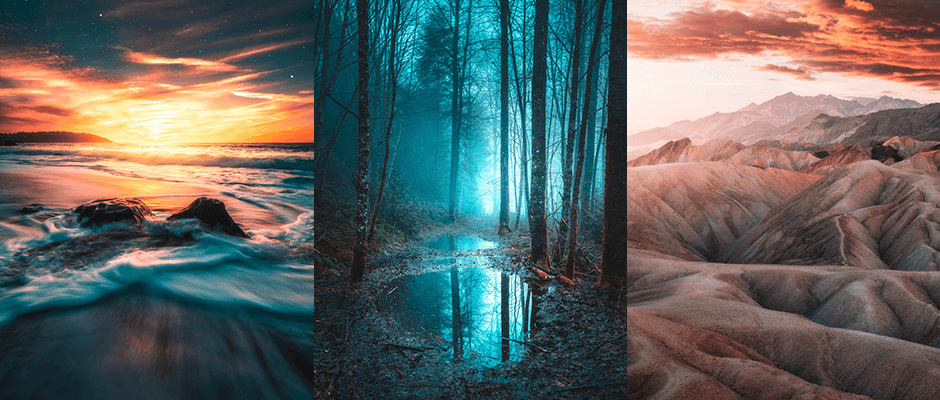
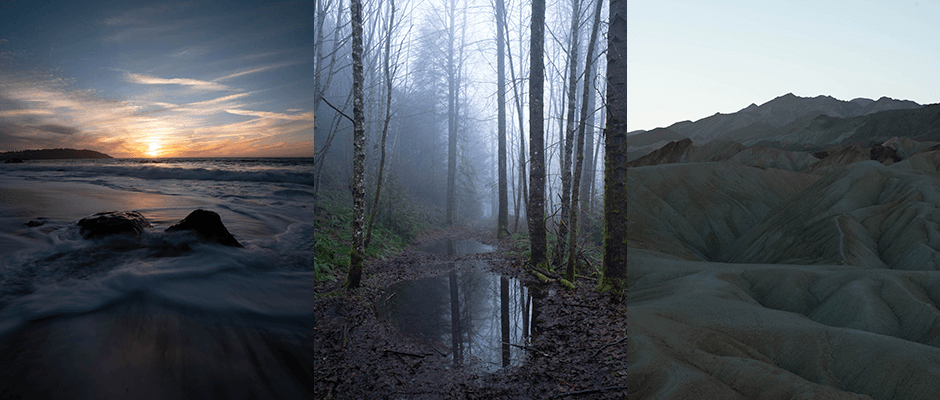
Zach has taught this style before. Here are photos and comments from some of his students…
Our Customers Love This Training:
Your presentation style and easy step by step guide have enabled me to start to use the power of lightroom - especially on those old photos with bland skies and detail hidden in the shadows. I wish I had found your course earlier!

Zach, I just finished downloading all your presets and watching all of your training videos. All I can say is, thank you! Thank you for giving people a glimpse into your expertise when it comes to photo composition, equipment, and (most importantly) editing. Wow! You've lit a fire of inspiration under me, and all I can think about is getting back outside to snap more photos so I can keep learning and applying your take aways from the training videos. Thank you, again!

This course has been tremendous. From learning settings for different situations, to Lightroom and editing techniques, to the great community and material. And above all developing a bold, colorful artistic vision, it's given me much more confidence in the journey from a shoot to a finished product. Thanks so much again!


Zach lowers the sky's exposure with a Linear Gradient. This gives the image a dark and stormy mood.
An Adjustment Brush then draws the eye toward the center.

Zach changes the sky's blue hue and saturation with the HSL sliders. This pulls the eye toward the main subject.
Then he uses a Radial Filter to add a light source.

Zach works in the HSL panel. He brings out the colors of the alpine meadow in the foreground.
Then he adds an Orton effect in Photoshop for a dreamy look.

Zach uses masks to lift the sky's colors. He echoes those colors in the water while keeping the sky in focus.
Zach removes details from the foreground. He uses Photoshop's Spot Healing Brush.

Zach blends 3 images into an HDR for editing.
He softens the lens flare in Photoshop. This makes it look more natural.

Zach lowers the sky's bright areas. Then Color Grading brings out warmer tones.
The Detail panel brings out fine detail in the mountains. The Masking slider helps too.

Zach uses all of Lightroom's tools. They make the colors stand out.
This makes the tree's shape and structure stand out.

Zach changes the whites and shadows in the Basic panel. This brings out the distant mountains.
Then he masks a few stars to make them brighter and larger. This adds texture to the night sky.
Finally, he turns a straight white line into shooting stars.

Zach shows two ways to replace a sky. First he uses Photoshop's Quick Selection Tool. Then he uses the Sky Replacement Tool.
Finally, the Color Range tool adds a light source between the two layers. This gives the image a natural glow.

Bonus #1Value $199
If you've never used Lightroom before, the first screen can feel daunting.
Zach's 60-minute starter course gives you a clear place to begin. It covers nine key parts of Lightroom:
It gives you a clear base for the landscape edits ahead.

Bonus #2Value $99
Good framing can improve an ordinary scene. It can make a strong photo.
Zach lets you see each choice through the eyes of an experienced photographer.
That's why Zach collected 15 of his best shots in this bonus chapter.
He shares the idea behind each photo. Then he breaks down its framing and main edits.

Bonus #3Value $59
Sometimes you go out for a photo shoot and come home to an uninspiring sky.
The sun may not appear, clouds may hide the stars, or the scene may lack the drama you hoped for.
The Sky Replacement Gallery includes 6 royalty-free sky images for your personal use.
The course also shows how to blend one of these skies into your final photo.

Bonus #4Value $99
Presets can apply your most common landscape edits in less time.
That's what Zach does. And I'm pleased to say he's willing to share his presets with you.
Follow each step yourself, or use a preset to reach a starting point faster.
This bonus includes 40 presets and a video that shows how to use them.
90-Day Risk-Free Trial
Try It. Love It. Or Get Your Money Back — Twice.
Our 250,000+ customers love our courses, and we're confident you will too. That's why every purchase is backed by two industry-leading guarantees.
"I'd rather pay you back twice than have you walk away unhappy. That's how confident I am in Zach's work."
— Josh Dunlop, Founder of Expert Photography
We've created a video course on landscape editing that works for any landscape photographer.
Nine projects show how Zach edits scenes in many kinds of light and weather.
The combined value is $1,896. The current price is $99.
If you want to shape light and color with Zach's process, this course gives you a clear guide.
Get “Epic Landscape Editing” and put Zach's process to work on your own landscape photos.
Save $1,797.00 before the countdown ends. Once the timer hits zero, the price returns to its full retail value.
Your Course Includes:

Your Payment Is 100% Secure
Here's the deal. Epic Landscape Editing is on sale, and the sale ends the moment the countdown hits zero…
There are no extensions. There are no second chances.
Once that timer runs out, the full retail value returns automatically. And some of the bonuses will be removed too.
If you want Epic Landscape Editing at this price, this is your chance to lock it in while the timer is still ticking.
And remember, you have a full 90 days to try it out.
Get it before it's gone.
I gave Zach a clear brief for this course:
"Show us how to process vibrant landscape photos with tips that any photography enthusiast could follow."
His lessons show how to bring old and new landscape RAW files to life.
You can keep editing by trial and error. Or you can follow Zach's clear Lightroom and Photoshop steps.
For $99, you get the full course with nine project RAW files and four bonuses.
The 90-day guarantee gives you two paths: a full refund or a conditional double refund.
The choice is yours.
Yours truly, Josh Dunlop Founder, Expert Photography
You get all nine landscape projects, one RAW file for each project, and four bonuses. The starter course and compositions manual are included at no extra cost. So are the sky gallery and 40 presets.
Your Course Includes:
Your Payment Is 100% Secure
ExpertPhotography was founded in 2011 by Joshua Dunlop.
Since then, ExpertPhotography has made courses and other photo tools.
Everything we do aims to make photography easier, so you can enjoy taking better photos.
We've taught photography to 250,000+ happy and satisfied students since 2011.
Photography has changed our lives, and we hope we can help it to change yours too.
Zach uses Adobe Lightroom for most edits and Photoshop for his final touches. Check Adobe's current plan details before you buy.
No. Lightroom and Photoshop are not included. Check Adobe's current plan and compatibility details before you buy.
Sure. There are 49 videos in all: 39 in the core course and 10 in the bonuses.
Introduction
Episode 1 – Cloudy Conditions
Episode 2 – Sunny Skies
Episode 3 – Foggy Conditions
Episode 4 – Sunrise & Sunset Conditions
Episode 5 – Golden Hour
Episode 6 – Layered Landscapes
Episode 7 – Fall Fairytales
Episode 8 – Long Exposure Photography
Episode 9 – Milky Way Blends
Conclusion
Bonus #1 – 60-Minute Lightroom Starter Course
Bonus #2 – The Creative Compositions Manual
Bonus #3 – Sky Replacement Gallery: 6 Royalty-Free Sky Images for Personal Use.
Bonus #4 – Presets
Yes. “Epic Landscape Editing” is a video course with 39 core videos and 10 bonus videos.
The course includes one project RAW file for each of the nine projects.
It includes 6 royalty-free sky images for your personal use.
The Compare-at Price is $299. The Current Price is $99.
You can ask for a full refund within 90 days, with no questions asked. If you follow the course and your results aren't good, you can ask for a double refund.